Submit A Tip Alternative Tip Form

[How To] Send Web Articles from Chrome to Your Kindle

Reading long-form articles on a computer screen isn’t the greatest experience, neither is seeing something you want to read when you’re in a hurry. 

But, for Kindle owners, there’s a Chrome extension that lets you push articles and blog posts from Chrome over to your Kindle – no wires needed.

It’s a great way to ‘get around’ to reading those articles you passed on reading at your desk; it’s also a great way to stock up your Kindle with reading material for long journeys or work commutes.
Chrome to Kindle

Using

Using the extension couldn’t be easier.

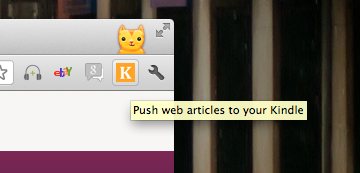
When viewing an article or blog post you wish to send over to your Kindle you just hit the ‘K’ button present in the extensions area of Chrome. This will open up a preview of how the post will be displayed on your Kindle.

It’s worth taking a few seconds to apply some edits here – such as removing author bylines, rogue paragraph breaks, empty space where share widgets were, etc.
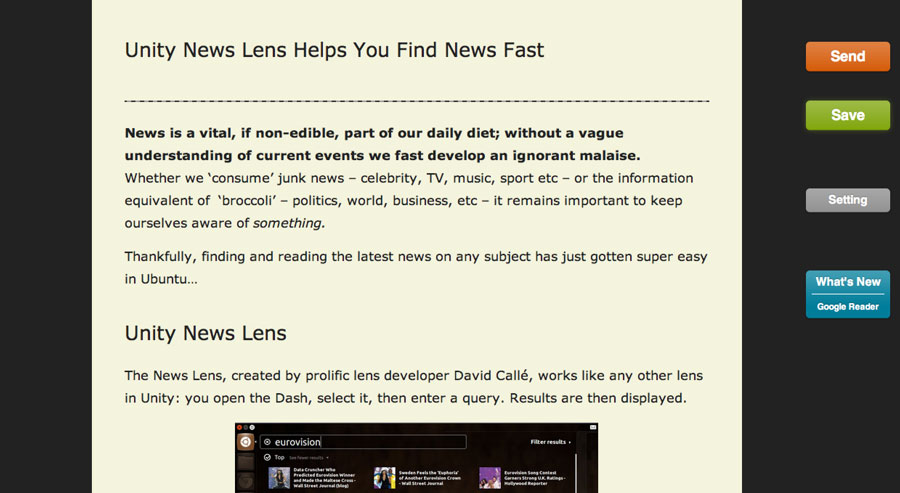
When you’re done just hit the ‘Send’ button’.

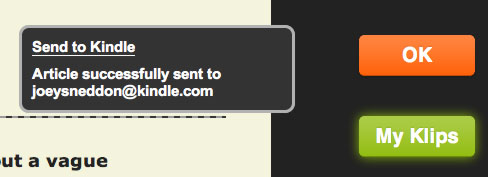
If everything has been set up correctly you’ll see a small notification bubble:
[alert type="blue"] Remember to switch on your Wi-Fi or Whispernet inorder to receive sent articles on your Kindle.[/alert]

Installing

For the extension to work you will need to know your Kindle e-mail address, and be able to login to your Kindle management account.

If you know both of those you can install the extension from the Chrome webstore using the link below.

Send to Kindle’ Extension

  • stewieX

    There is a similar app for Chrome that allows you to send any webpage to your Android device or in reverse called “Google Chrome to Phone Extension” . It is very useful. https://chrome.google.com/webstore/detail/oadboiipflhobonjjffjbfekfjcgkhco?hl=en-GB&utm_source=chrome-ntp-launcher

  • http://twitter.com/DuckSir Kwan Woong

    Tried it on my Fire, it lives, in fact, I was about to say it didn’t work, but it finally came as I wrote this comment. :)

    Tested it on this page too. :D

  • Jonathan Wong

    Doesn’t it cost money to send articles to your Kindle with Whispernet or something like that?

    • arch_is_awesome

      It depends on whether or not you’re using 3G to deliver it. If your Kindle is connected to a WiFi network then it’s free.

      • Jonathan Wong

        Oh ok thanks.

  • Gesnazo Laurba

    If you have an iPhone or iPad, you can use the App “Clear Web Text for Kindle”.
    It cleans web and send to your kindle with your email. You don’t have to add new approved emails, and it keeps images!!